Extend Your Salesforce Hosted MCP Server with the Access Control Plugin
Salesforce hosted MCP runs every agent request in the user's context. This package helps you narrow down access specifically for agents.

Salesforce hosted MCP runs every request in the calling user's context with the platform's native CRUD, field-level security, and sharing fully in force. In some cases that is not enough, and a natural question follows:
"How do I let an agent see and update exactly the slice I intend, without reshaping the Profiles and Permission Sets my users already rely on?"
What do I mean? Let's see these examples:
- Page layouts carry real access control. Hidden fields, read-only sections, and buttons that gate an action are real controls, but they live in the UI layer. MCP talks to the data layer, so a layout that keeps a field off the screen does not keep it out of a query.
- Your Profiles and Permission Sets have drifted. If it has been a while since anyone audited them, the access a role accumulated over years may be broader than what you would hand to an off-platform agent. Starting narrow lets you turn agents on now and reconcile the wider grants on your own schedule.
- You have an agent-specific policy. You may simply require that external agents never edit Opportunities, even for users who can edit them in the UI.
The MCP Access Control Plugin is an accelerator for exactly that. It extends Salesforce hosted MCP with an explicit, Permission-Set-gated allowlist, so you can deploy narrowly and widen the perimeter deliberately over time. It is a reference implementation, not a Salesforce product, and it is designed to complement the platform's model.
Agent-level intent, expressed cleanly
In the Headless 360 era, the channel is part of the context. "This user, editing in the UI" and "this user, acting through an agent" are different scenarios, and you may want a different reach for each. Native permissions describe the user; this plugin lets you describe the agent's reach as a separate, explicit contract, layered on everything the platform already enforces.
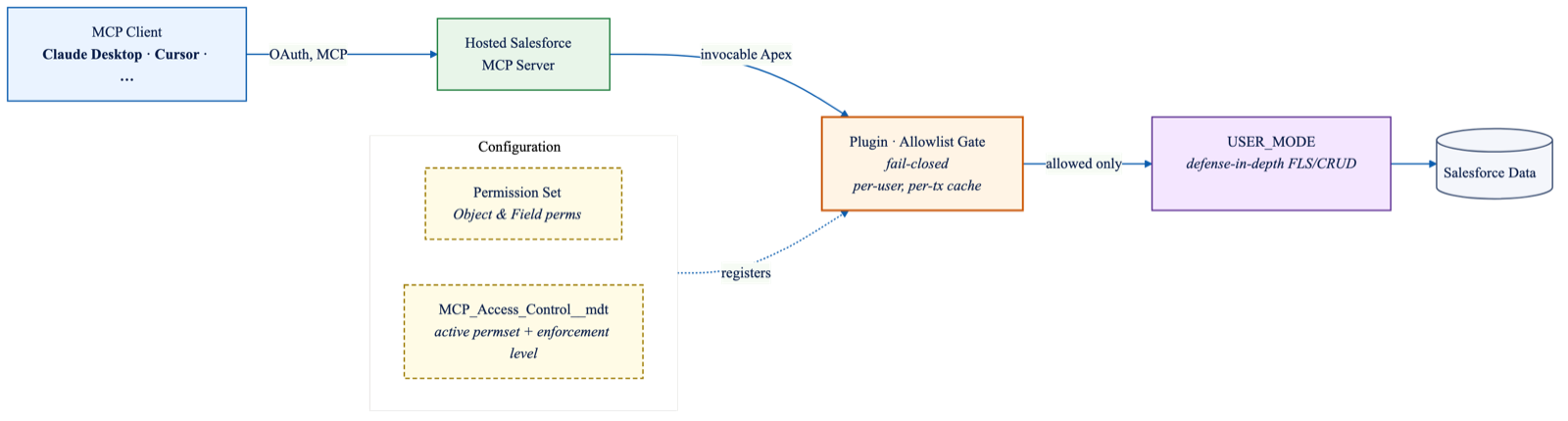
Here is how that contract is enforced at runtime, end to end:
- An MCP client (Claude Desktop, Cursor, or any compliant client) connects via OAuth to a hosted Salesforce MCP server.
- The server discovers the three Apex actions as tools.
- On every tool call, the plugin builds the user's runtime allowlist from the active Permission Set and reads the active enforcement level from a Custom Metadata record.
- Any request touching an object or field outside that allowlist is declined before any data is touched.
- Allowed requests fall through to
USER_MODE, which applies the platform's native field-level and CRUD checks as the second layer.
Because the second layer is the platform itself, the plugin is defense-in-depth by construction. The allowlist gives you earlier, clearer control, and USER_MODE stays in place as the backstop underneath it.
What tools and configuration can I use?
The plugin adds the allowlist at the action layer, before any DML or SOQL runs, and then hands every allowed request down to Salesforce's native USER_MODE.
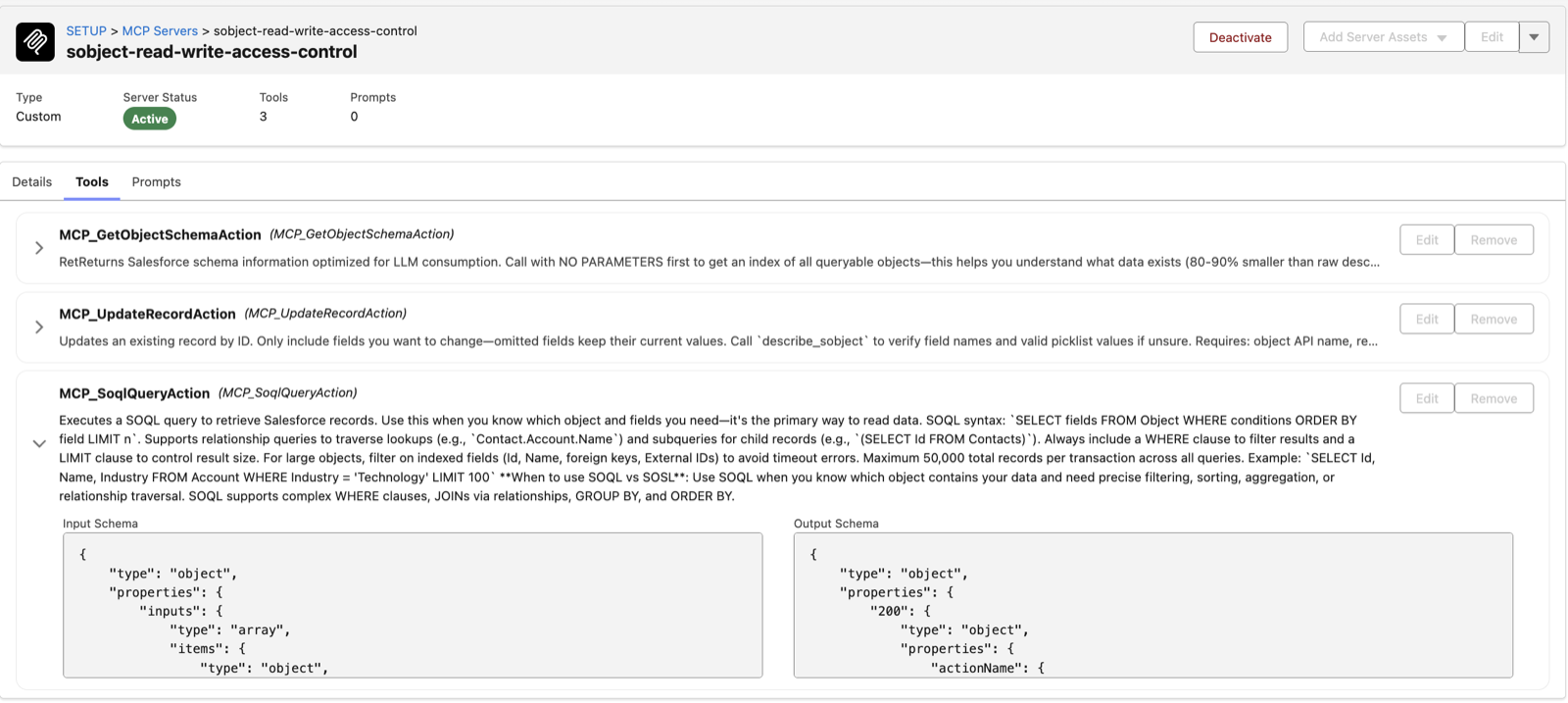
Three Apex actions are added as tools in any Salesforce-hosted MCP server:
- Get Object Schema lists accessible objects and fields, filtered by the active allowlist.
- SOQL Query executes
SELECTqueries with full reference extraction (parents, children, polymorphic relationships, aggregates), checking every object and field against the allowlist before execution. - Update Record updates a single record with field-level enforcement.
If something is not provably allowlisted, the parser fails closed, and errors come back as values rather than exceptions, so an agent gets a clean, explainable response. The allowlist is built from the active Permission Set's object and field permissions and cached per user, per transaction, so the cost is paid once.
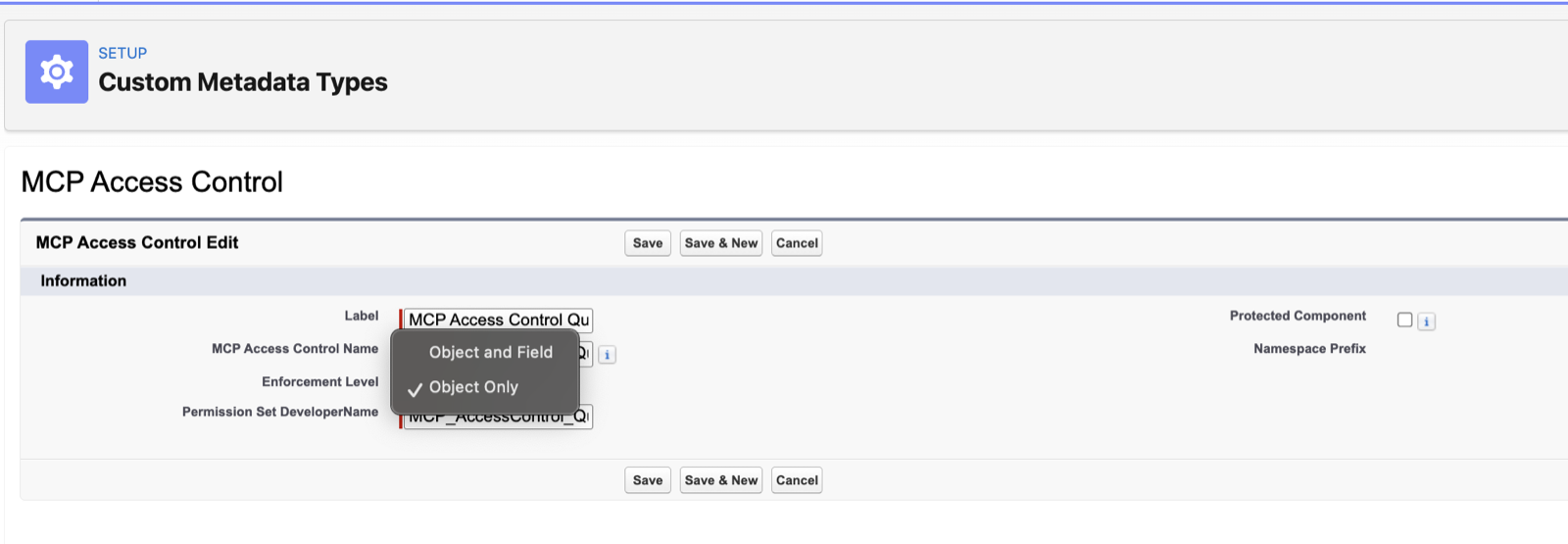
Configuration is just as light. A single Custom Metadata record selects how strictly the allowlist is enforced, and you switch levels by editing that record, with no code change required. Pick the one that matches your risk posture:
| Level | What it enforces | Example |
|---|---|---|
OBJECT_ONLY | Object-level allowlist, fields via USER_MODE | Allow Read/Write to Contacts but only Read to Opportunities |
OBJECT_AND_FIELD (default) | Object and field allowlist | Control Read/Write access and also which fields can be read and edited |
A deliberate v1 scope
The first version is a starting point:
- Read, update, and describe only. No
INSERTorDELETEactions are exposed. You can add them, with the same allowlist discipline, when you need them. - Non-permissionable fields defer to the platform under the default level. Fields such as
Name,OwnerId, and audit fields have no field-level security to allowlist, so underOBJECT_AND_FIELDthe update path defers toUSER_MODE. Opt intoOBJECT_AND_FIELD_STRICTwhen you want those denied by default. - It is a reference implementation. Run the full test suite against your own org and confirm enforcement matches your data, compliance, and security requirements before any non-dev deployment.
Try it
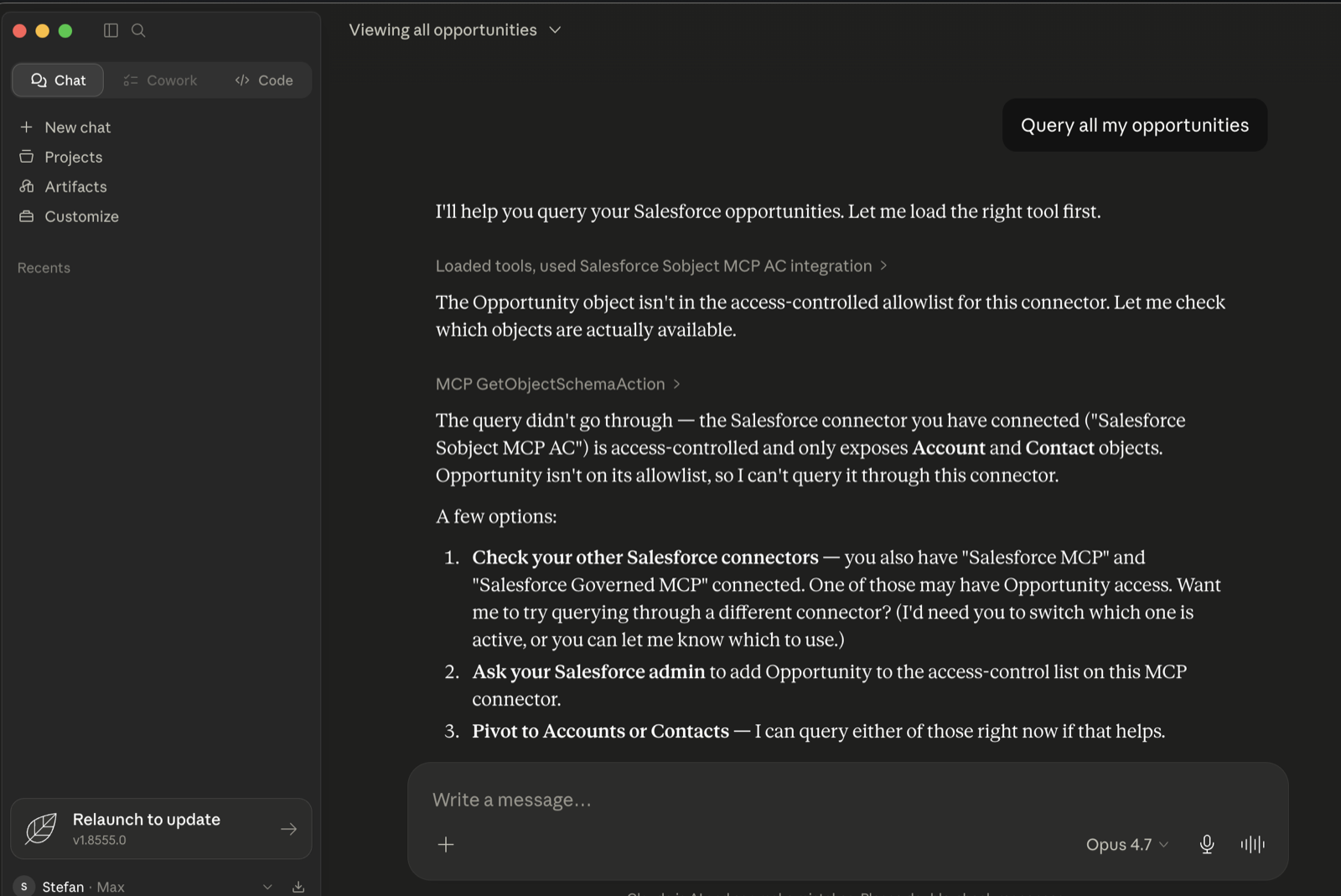
Clone salesforce-mcp-access-control-plugin, deploy the package to a scratch org or sandbox, and deploy the included sample: a pre-built Permission Set and Custom Metadata record for instant testing. Create a hosted MCP server in Setup, add the three Apex actions as tools, connect Claude Desktop with an External Client App scoped to a test user, and ask Claude to describe an object, run a query, and update a record. Then change the Permission Set and watch the agent's reach change with it. That live change is the point.
If you are a Claude Code user, the repo ships a skill that walks you through the deployment end to end, and the access-control contract in the repo documents exactly what is and is not enforced.