AIforce: My Key Takeaways from Dreamforce
My Dreamforce takeaways on using Salesforce in Claude, building beyond Lightning, and controlling what agents can do.
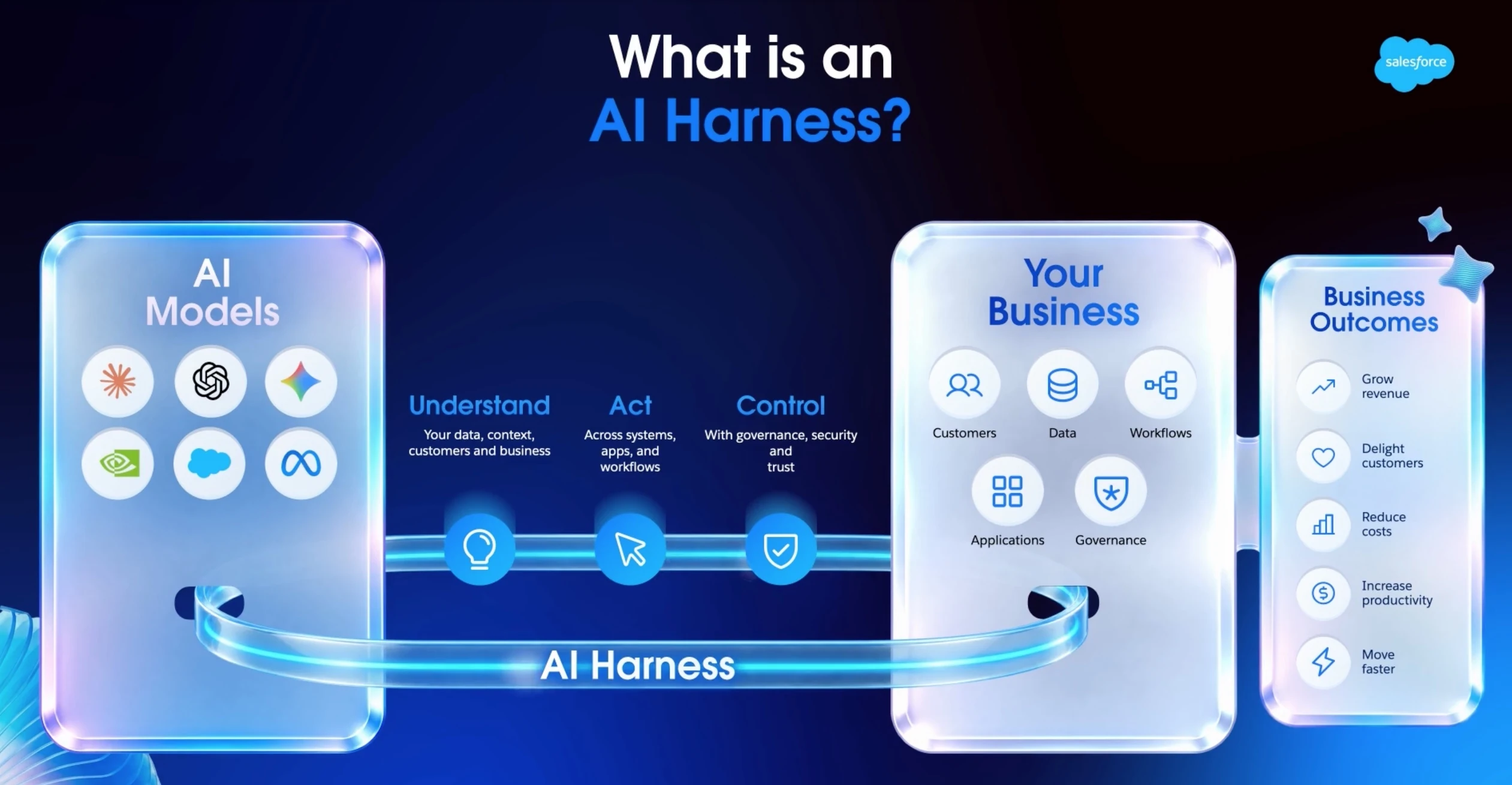
What happens when working with Salesforce no longer means opening the Salesforce interface? We can review deals in Claude, update records from a conversation, and use agents across business systems.
Here’s what that means for the way we build and work with Salesforce.
01 / THE KEYNOTE
Salesforce beyond its screens
Our key principle is to bring Salesforce capabilities into the tools people and agents already use. The Enterprise AI Harness connects AI models to our existing data, workflows, permissions, and business rules.
- The headless paradigm: Agents can access Salesforce APIs, metadata, workflows, and permissions without navigating the application’s screens.
- Why the model alone is not enough: A capable model still needs our business data and rules to do useful work.
- The harness connects the model: The Enterprise AI Harness lets us connect our chosen model to the Salesforce configuration we already have.
- The business foundation stays in place: Changing the interface does not remove the need to maintain our data, permissions, and workflows.
02 / THE KEYNOTE
Four Core Capabilities
These four capabilities cover how we use Salesforce, connect it to other tools, and build on it.
AIforce
AIforce brings together Data 360, Customer 360, and Agentforce with Salesforce’s trust and governance controls. We can use those capabilities through the interface that suits our team.
Claudeforce
Claudeforce brings CRM work into Claude through a Salesforce-specific plugin. We saw account summaries, pipeline reviews, and deal cleanup alongside approved updates back to Salesforce, all within the conversation. The beta was announced as open to all customers during the keynote week.
Headless Toolkit
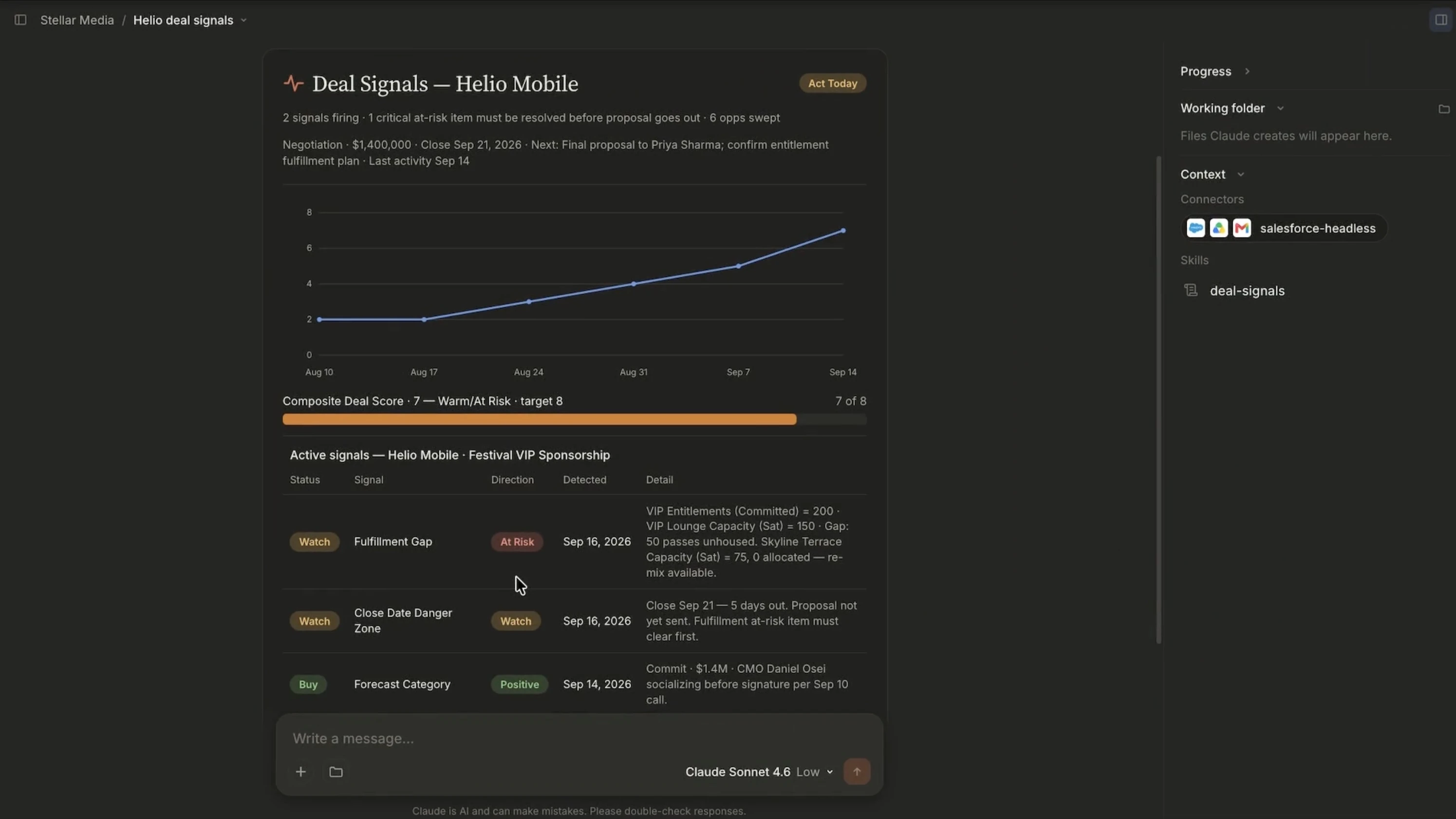
The Headless Toolkit connects agents and external interfaces to Salesforce. It includes APIs, connections through Model Context Protocol (MCP), skills, plugins, interactive widgets, and controls for identifying agents and monitoring their activity.
BuilderCentral
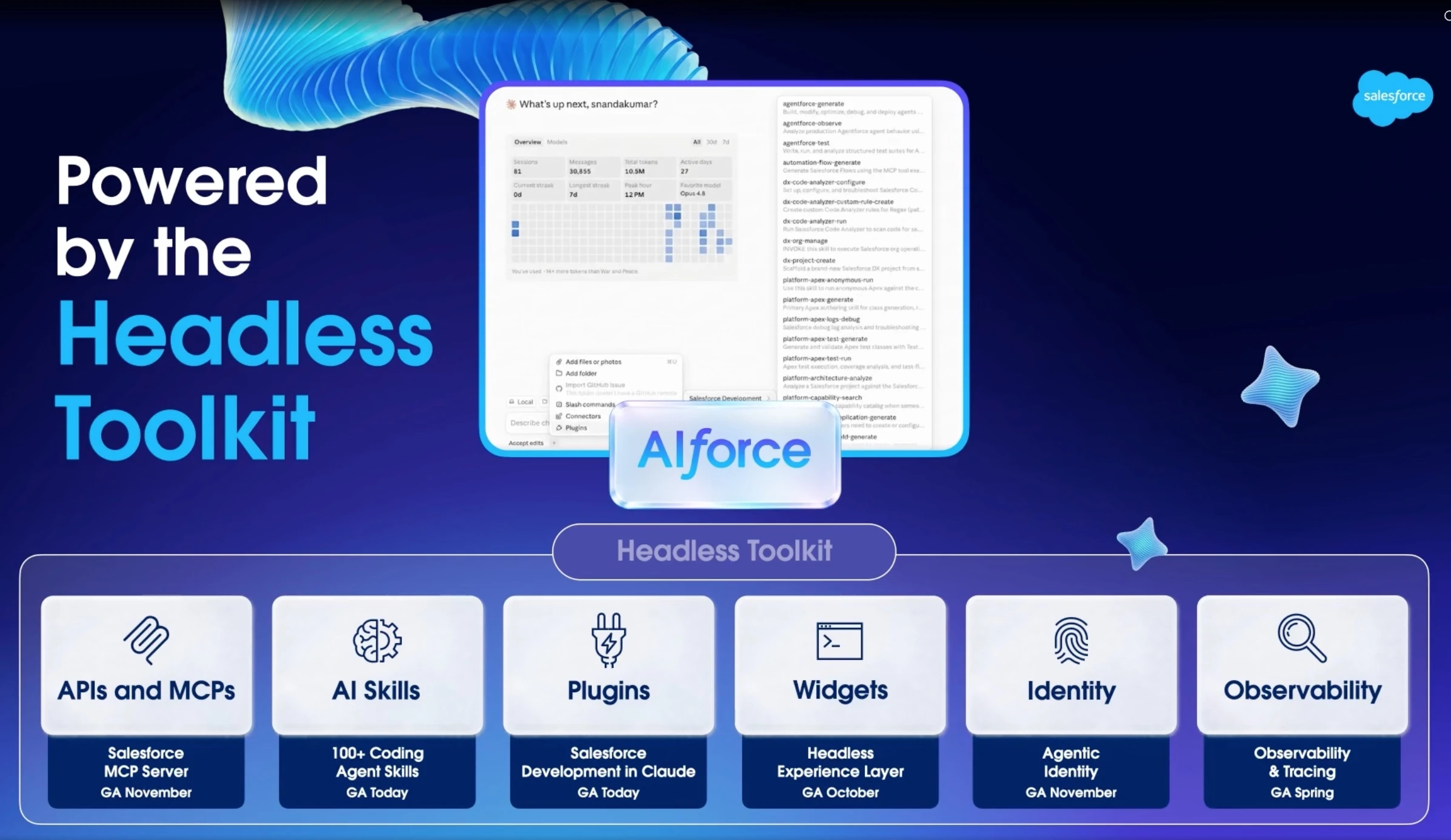
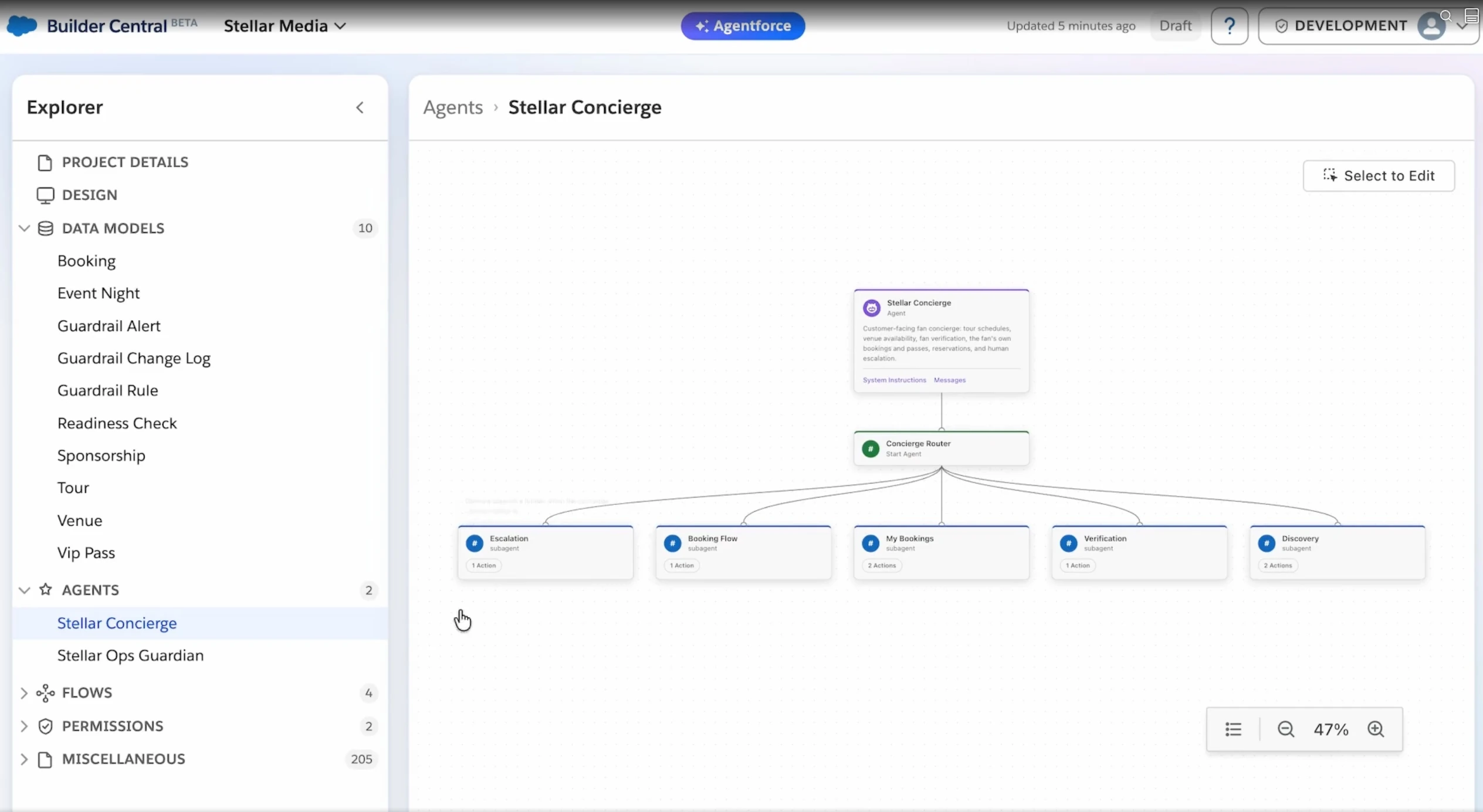
BuilderCentral is a native workspace for configuring, building, and deploying Salesforce apps through natural language. The demo turned written requirements into an application with objects, agents, and subagents. It was announced as a Dreamforce beta.
03 / THE KEYNOTE
The Headless Toolkit
We can reuse our existing Salesforce objects, fields, Flows, Apex, permissions, and business rules. Here’s how the toolkit makes them available to agents.
APIs and MCPs: how agents communicate
APIs and MCP connections let agents access Salesforce functions from other tools. They give the agent a way to work with our business systems.
Skills and plugins: how tasks get done
Skills and plugins tell an agent what to do and in what order. In the development demo, Claude received Salesforce context and instructions for building and deploying changes to an org.
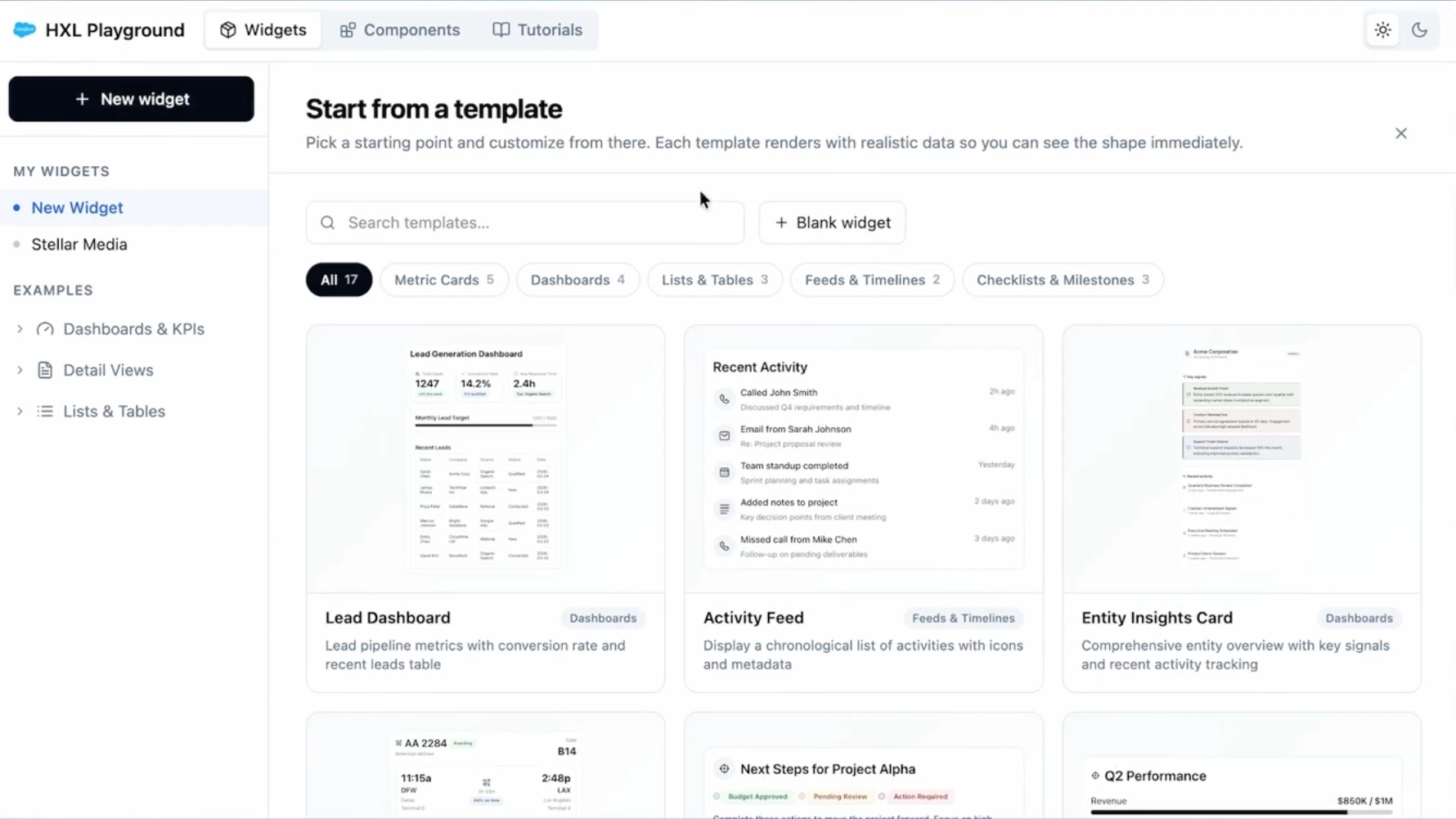
HXL: interactive widgets in the conversation
The Headless Experience Layer (HXL) provides reusable templates for interactive cards. Users can view information and take action on those cards inside a conversation.
Identity and observability: accountable actions
We can set access for each agent and use observability tools to inspect its activity, including the steps behind an action.
04 / THE KEYNOTE
New ways to build
We have more choice in both the interfaces we build and the tools we use to build them.
HXL and multi-framework support: experiences beyond Lightning
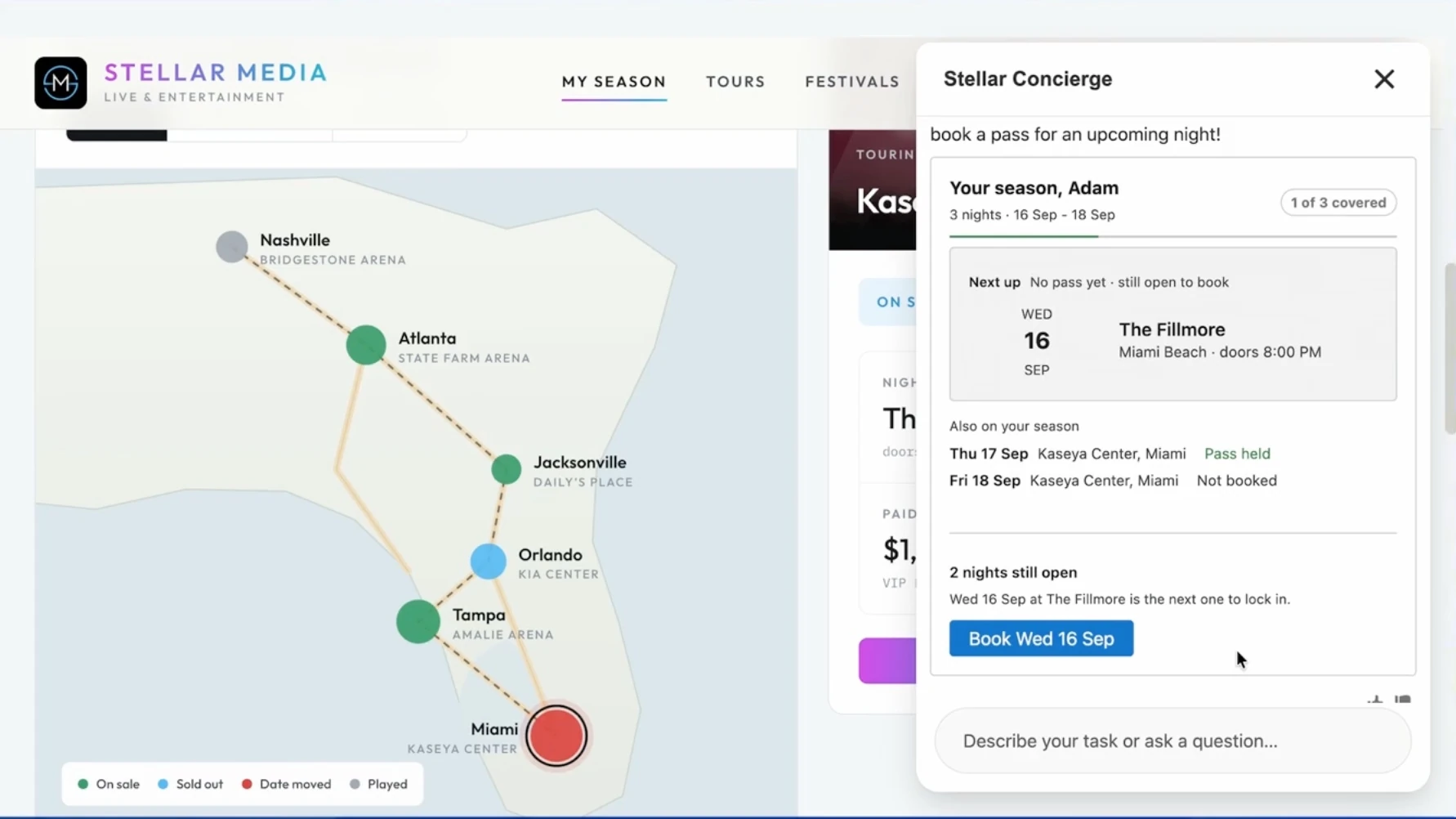
The demo paired a React fan site with a concierge agent. HXL also displayed the fan’s booking card across Agentforce, Slackbot, ChatGPT, and Claude. We can customize those templates while keeping the interaction recognizable across tools.
Builder Central: requirements become an application
A product manager used written requirements to work with the app’s objects, agents, and five task-specific subagents. A later request updated branding from Contentful. Builder Central puts this work in a low-code and administration workspace.
05 / THE KEYNOTE
Agent identity and permission scopes
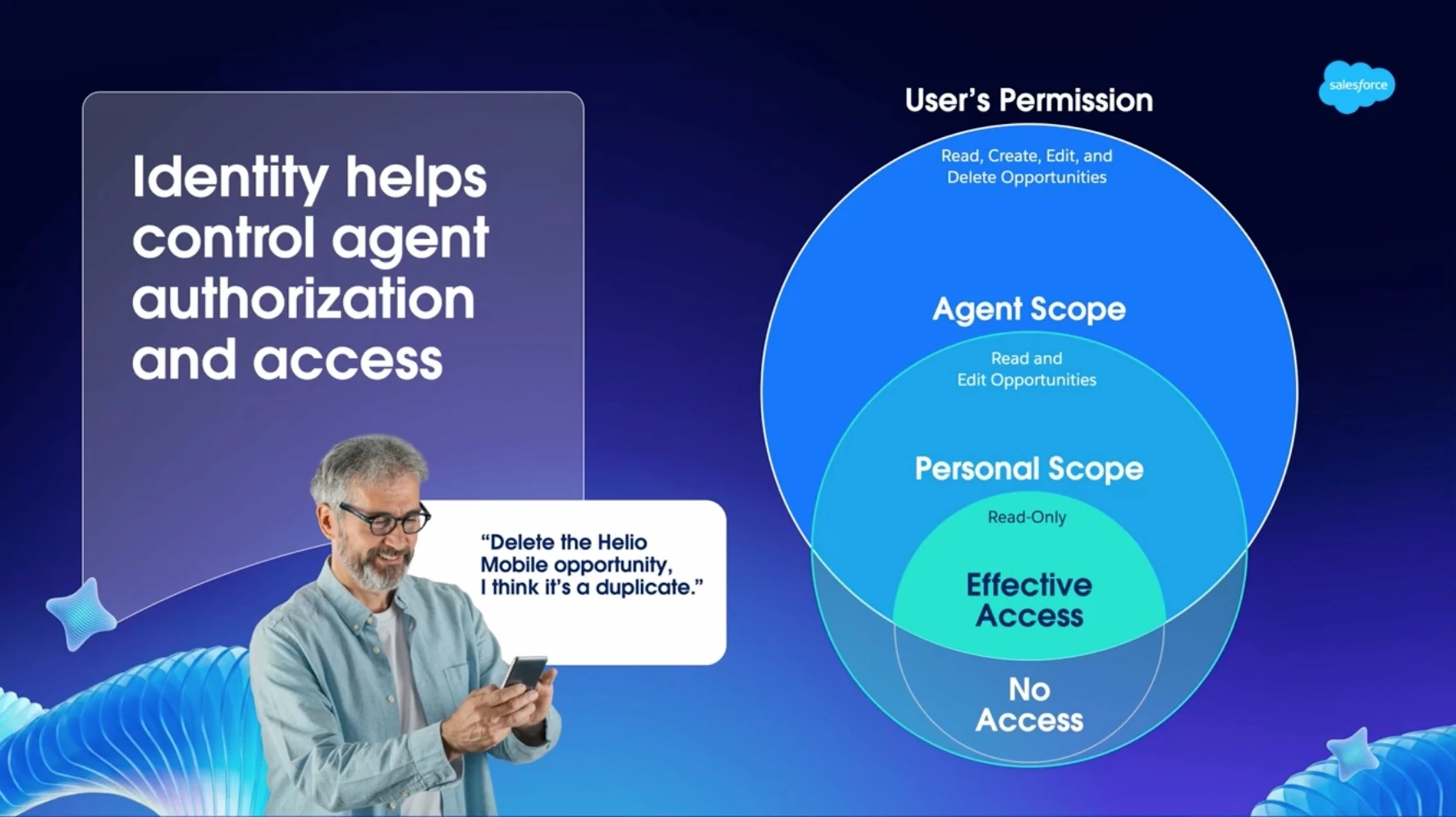
We need to know which agent is acting, who it is linked to, and what it is allowed to do.
Agentic Identity: an identity for the agent
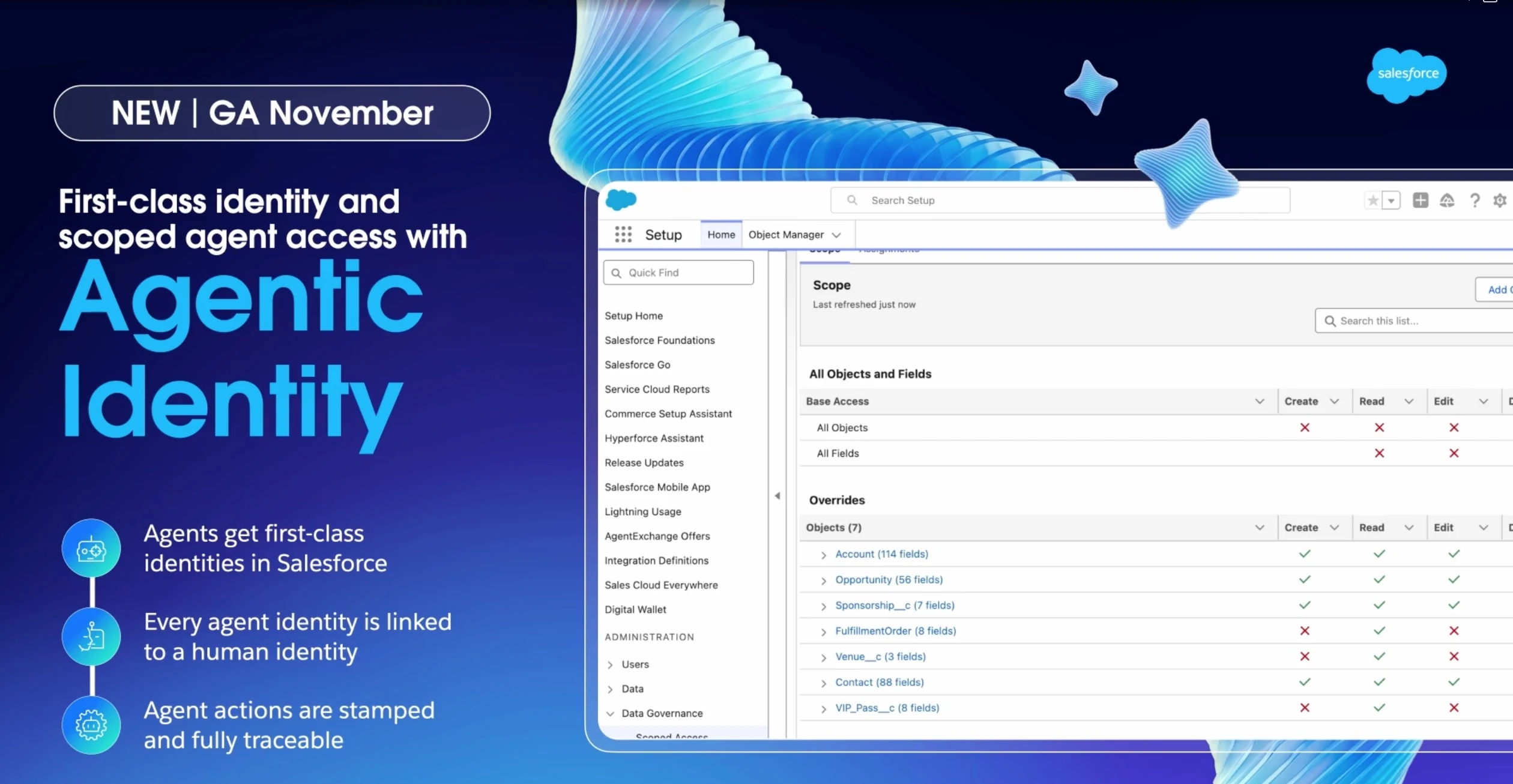
Each agent gets an identity linked to a human identity, so we can govern and trace its actions. The keynote listed general availability for November.
Agent permission scopes: clear limits on access
Access has three layers: the user’s permissions, the agent’s scope, and any further personal restrictions. Admins can limit access by object and field. In the demo, they removed create access for fulfillment orders and venue records. A user can narrow it further, allowing an agent to only read an opportunity the user can edit.
What I would take into the next project
For me, the change is where we work with Salesforce. Our data, processes, and permissions still need the same care. For admins, that means maintaining them as more agents use them. For business leaders, it means deciding where work in Claude or another familiar tool could save the team time.